Petrol pump management software for Pakistan
Every litre. Every rupee.
Accounted for.
Shifts, fuel sales, cash, udhaar and stock for every branch, on the web and on Android. A shortage shows the same day.
See the app before you install it
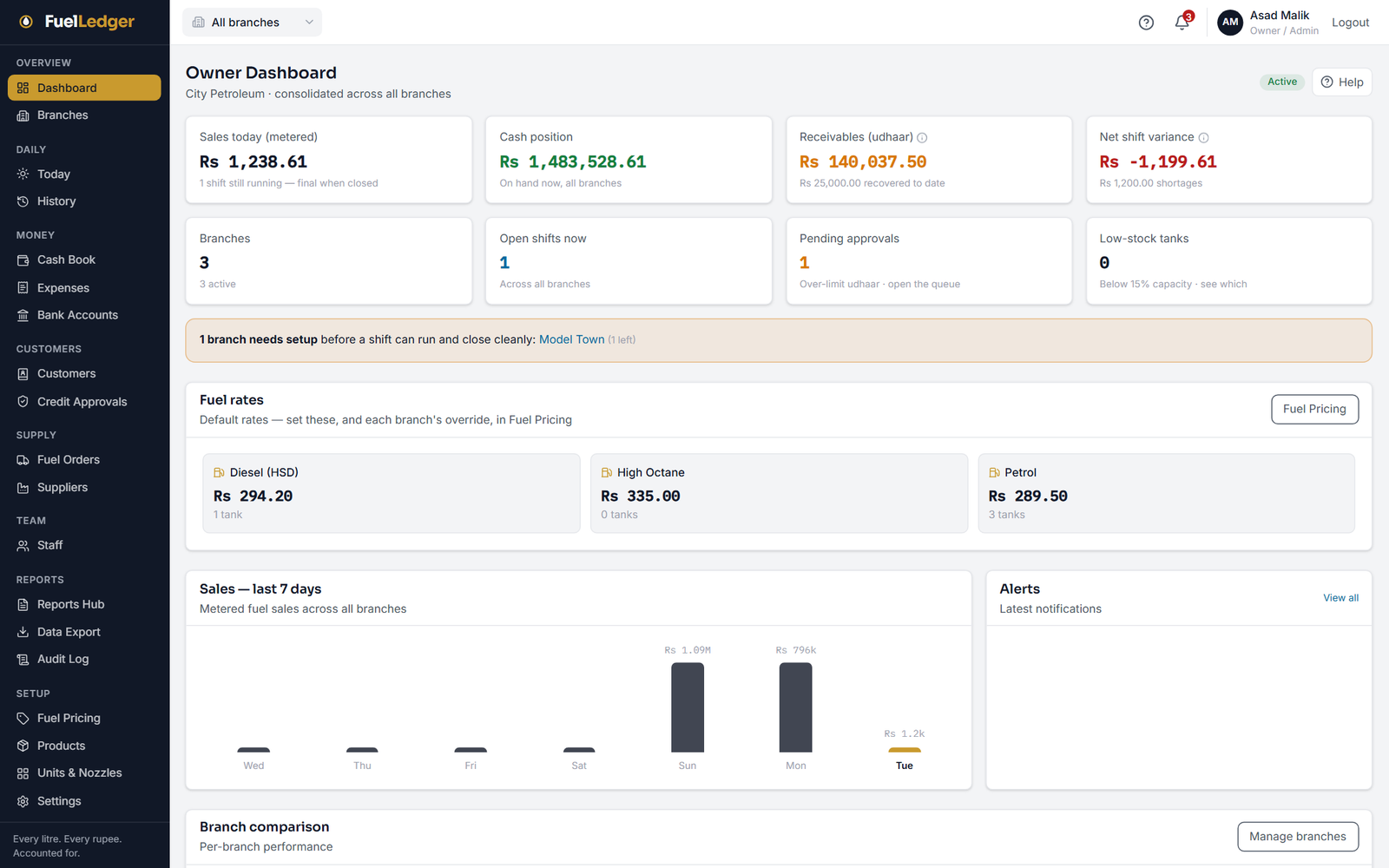
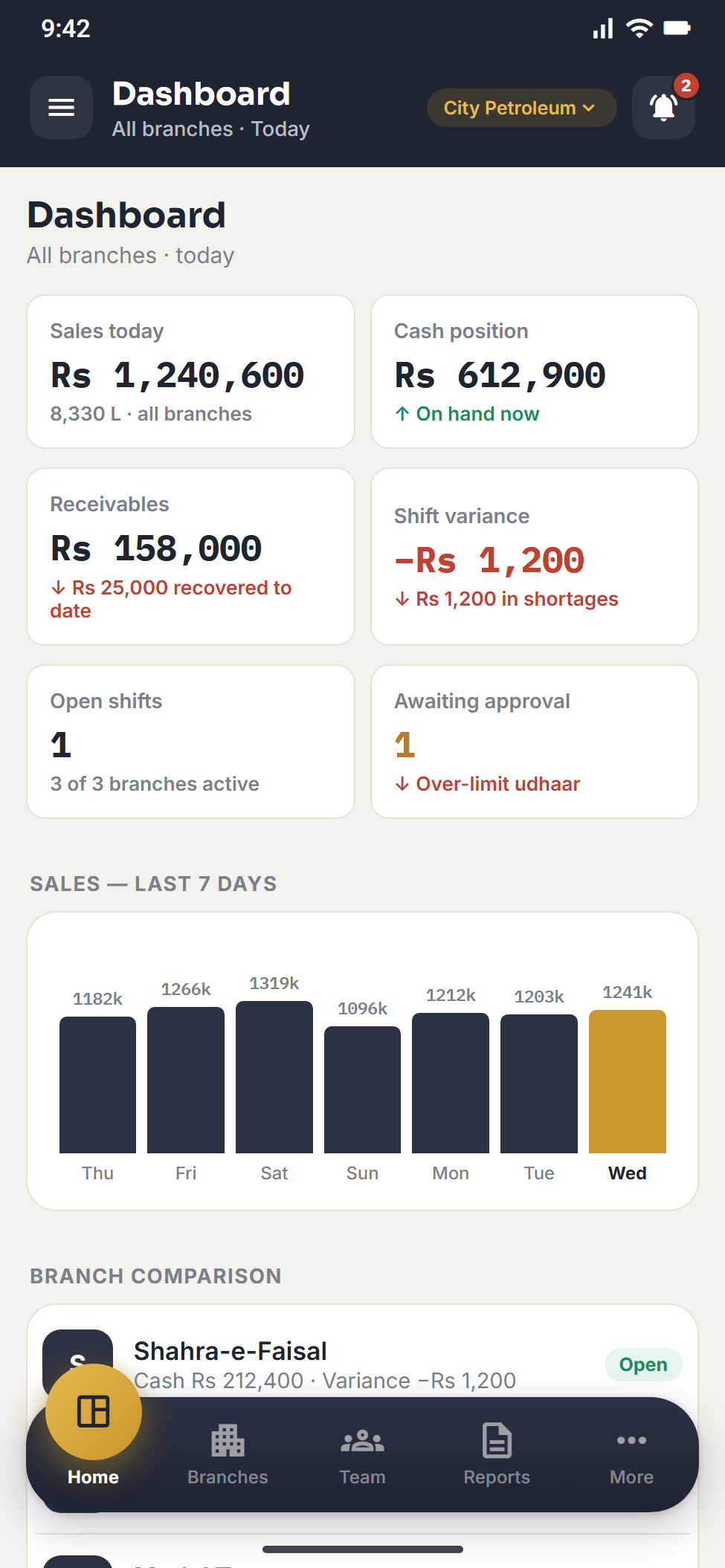
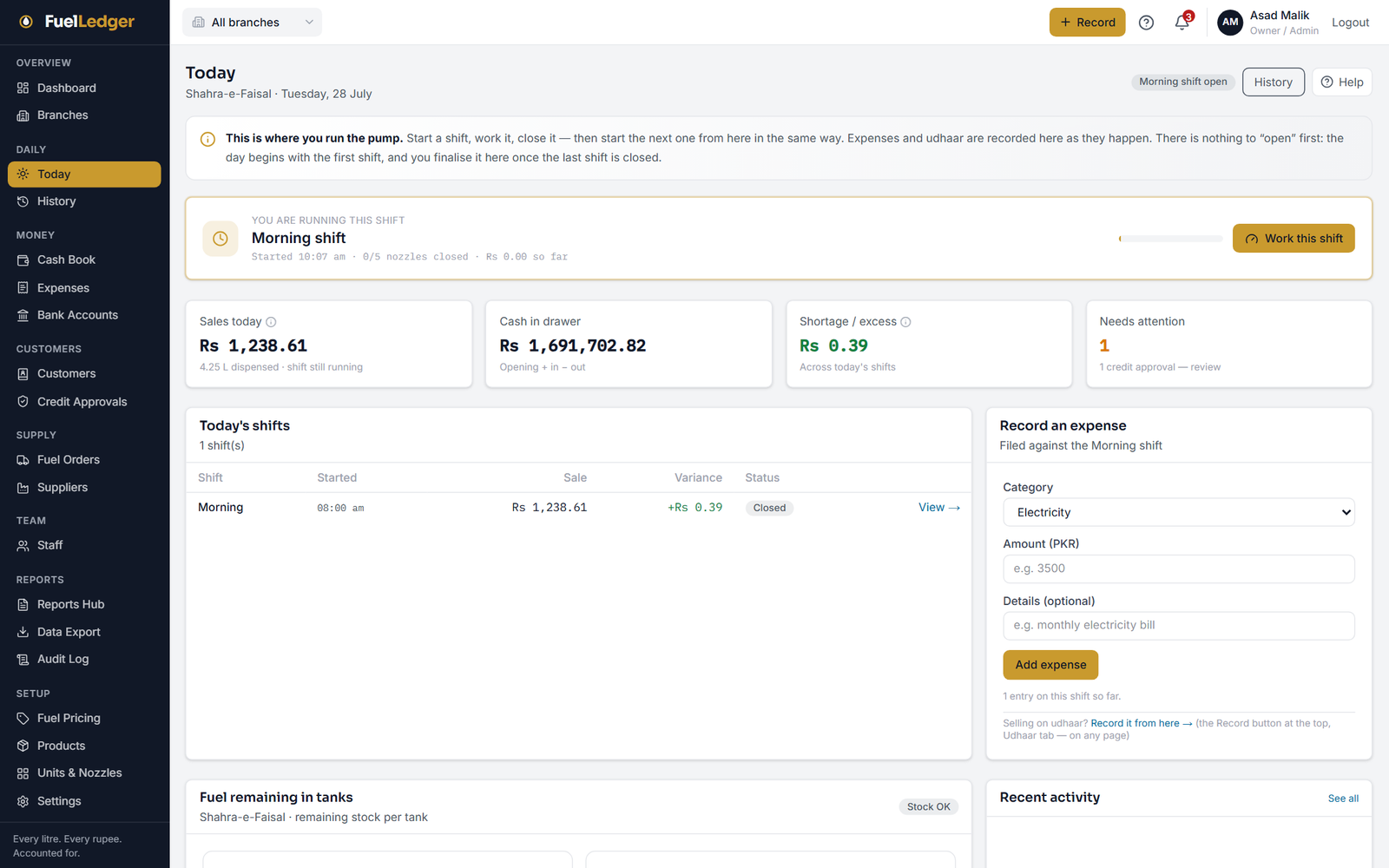
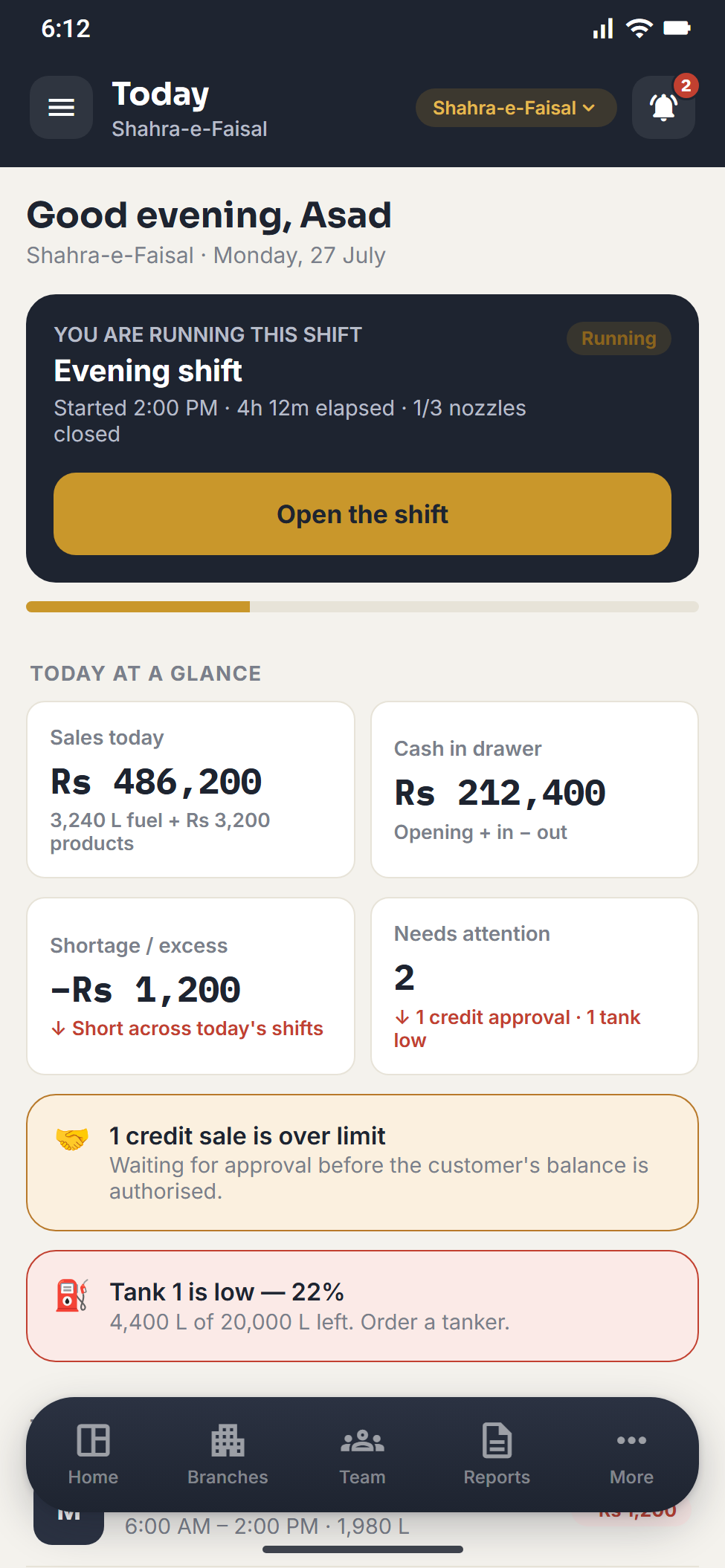
Real screens from the web app and the Android app, shown with sample pump data.
Every branch on one screen
Sales, cash on hand, udhaar and shift variance across all your branches, with today's fuel rates beside them.
Run the shift from here
Start a shift, close each nozzle and declare the money. Sales, cash in the drawer and the shortage update as you go.
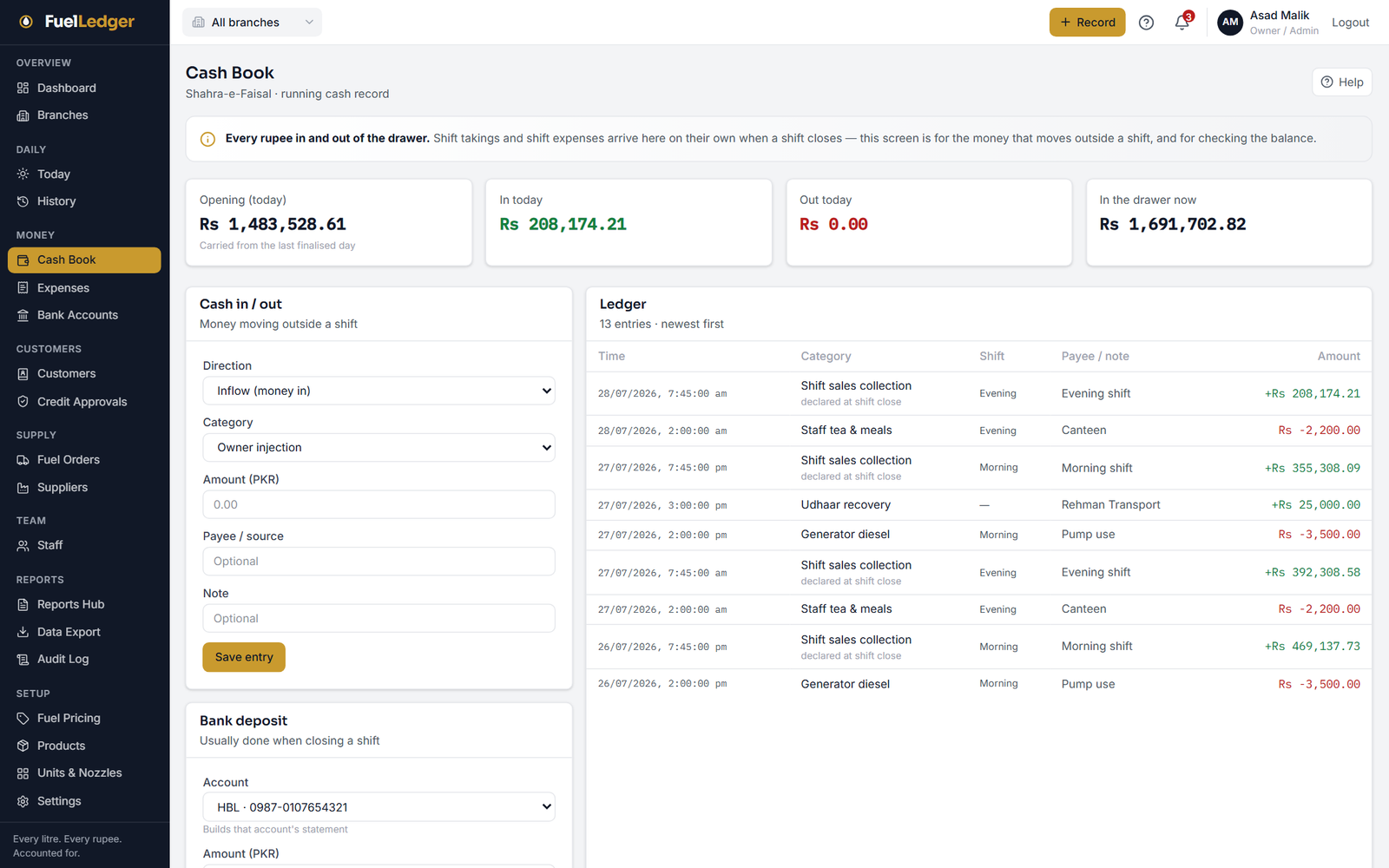
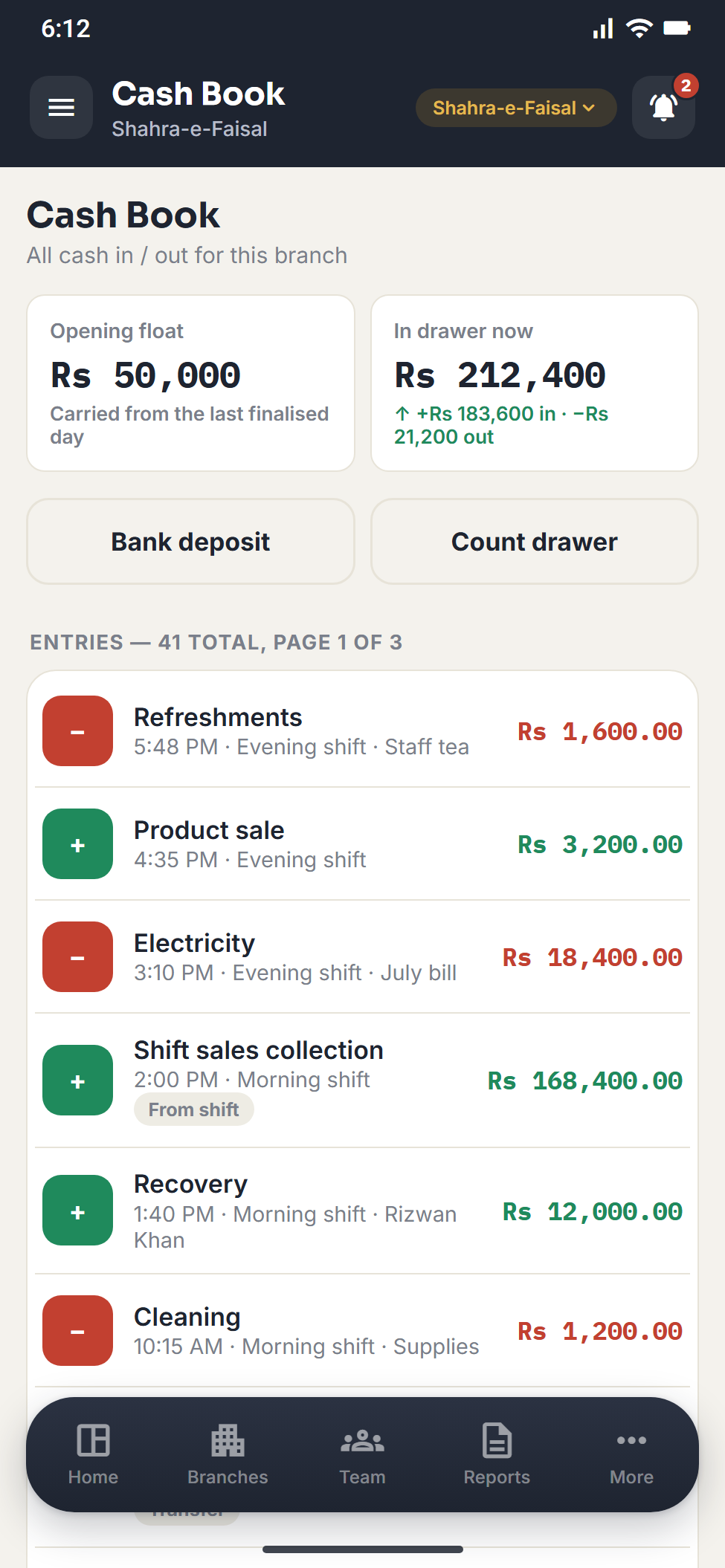
One cash book per branch
Every rupee in and out of the drawer, with shift takings and shift expenses booked on their own when a shift closes.
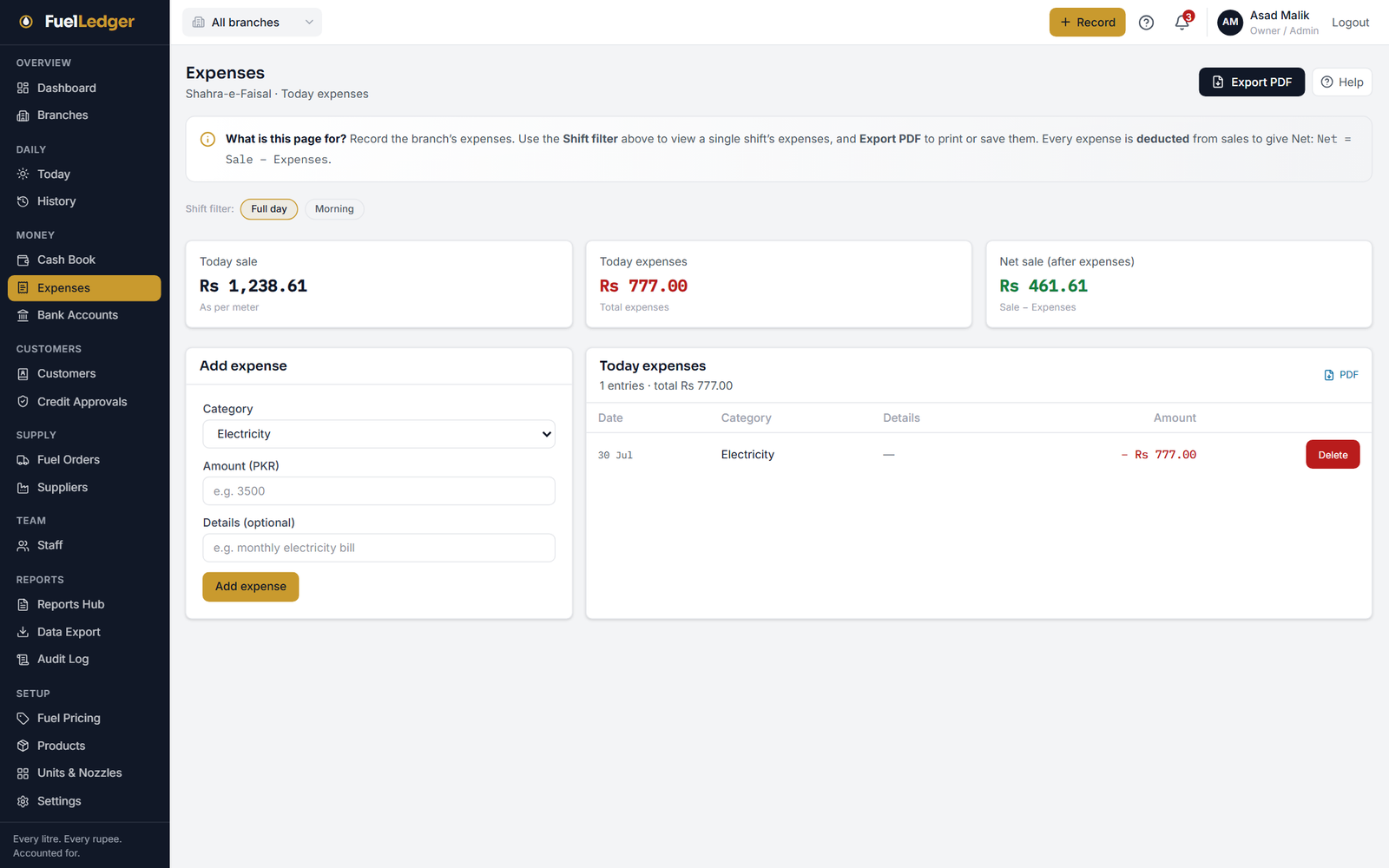
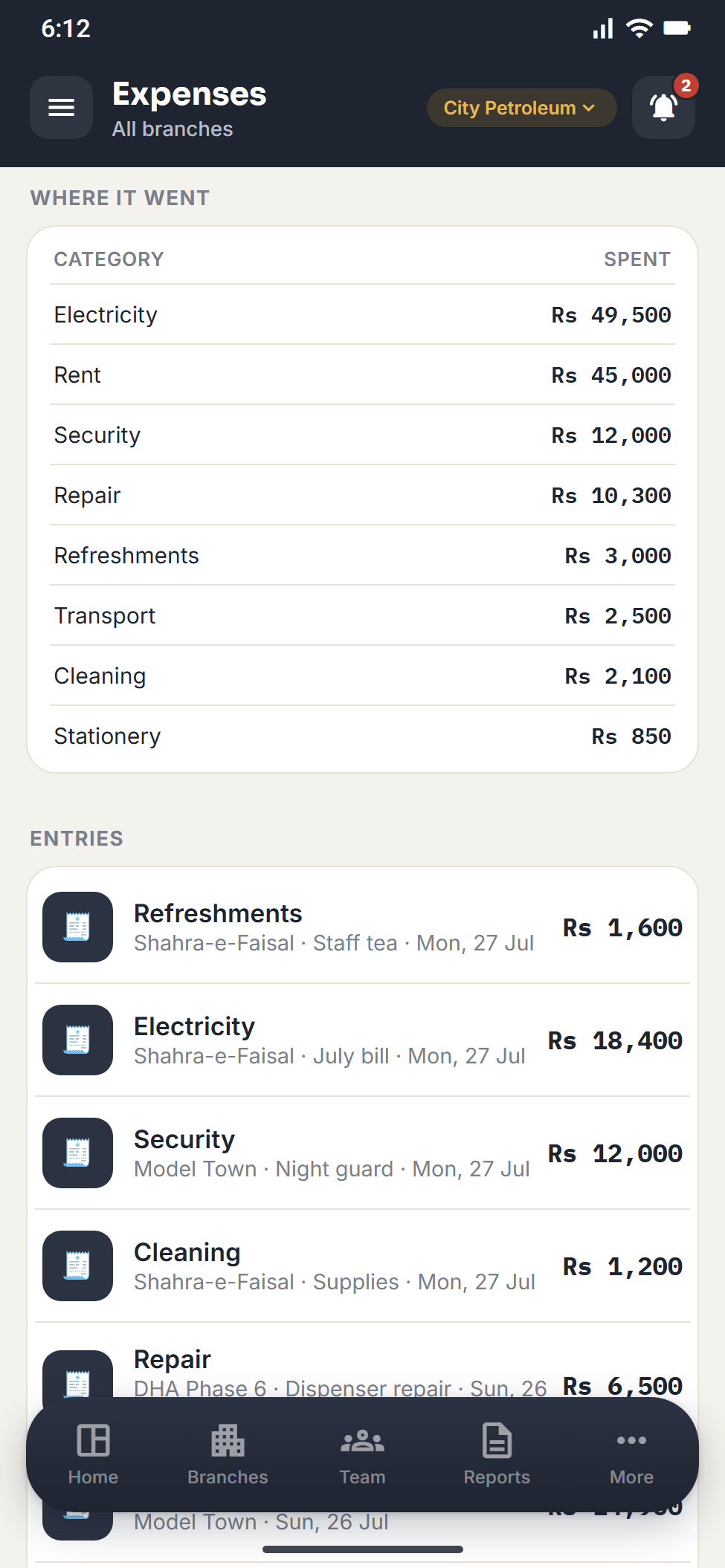
Expenses come off the sale
Record the branch's expenses by category and see the net sale after them, for the full day or one shift.
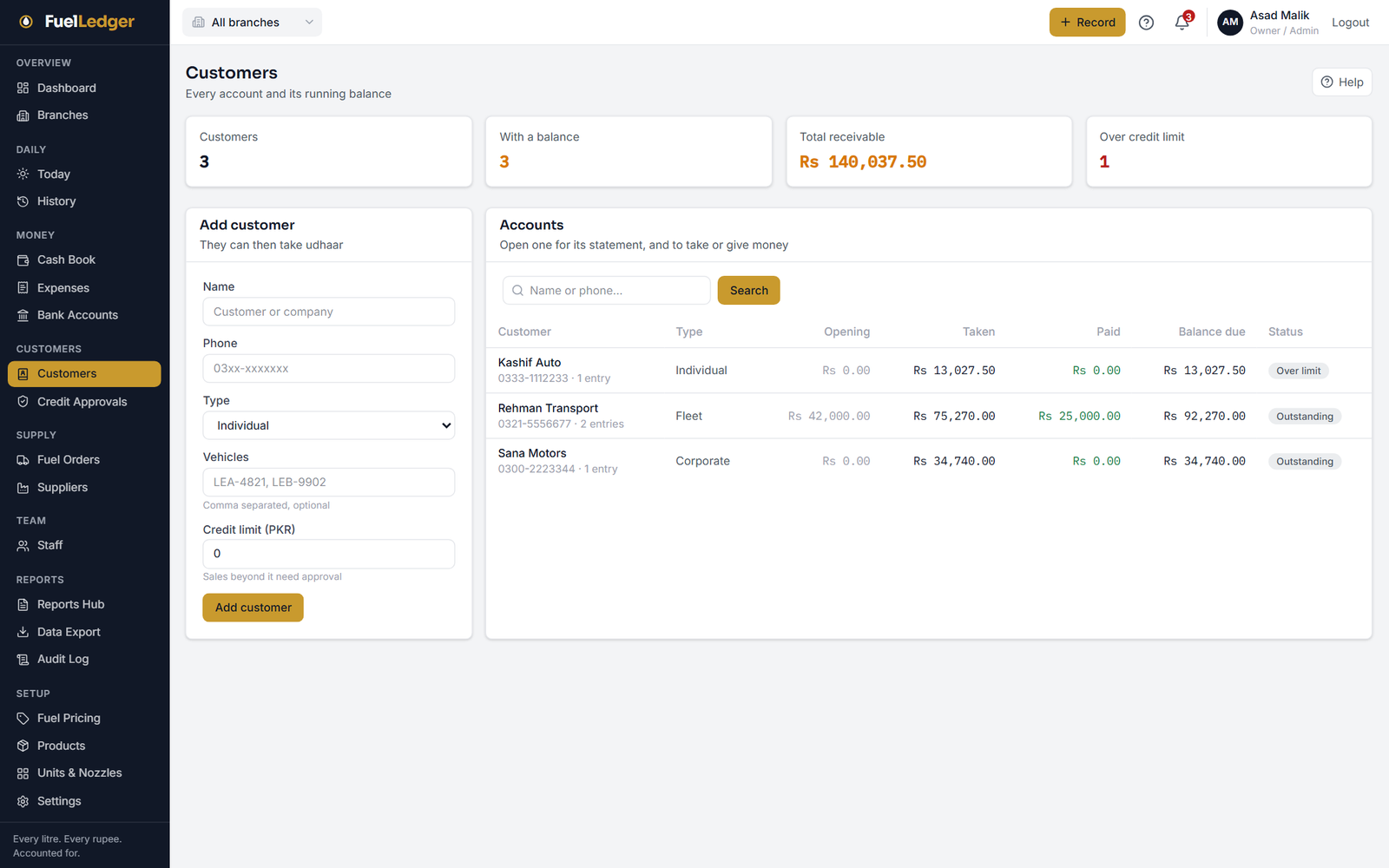
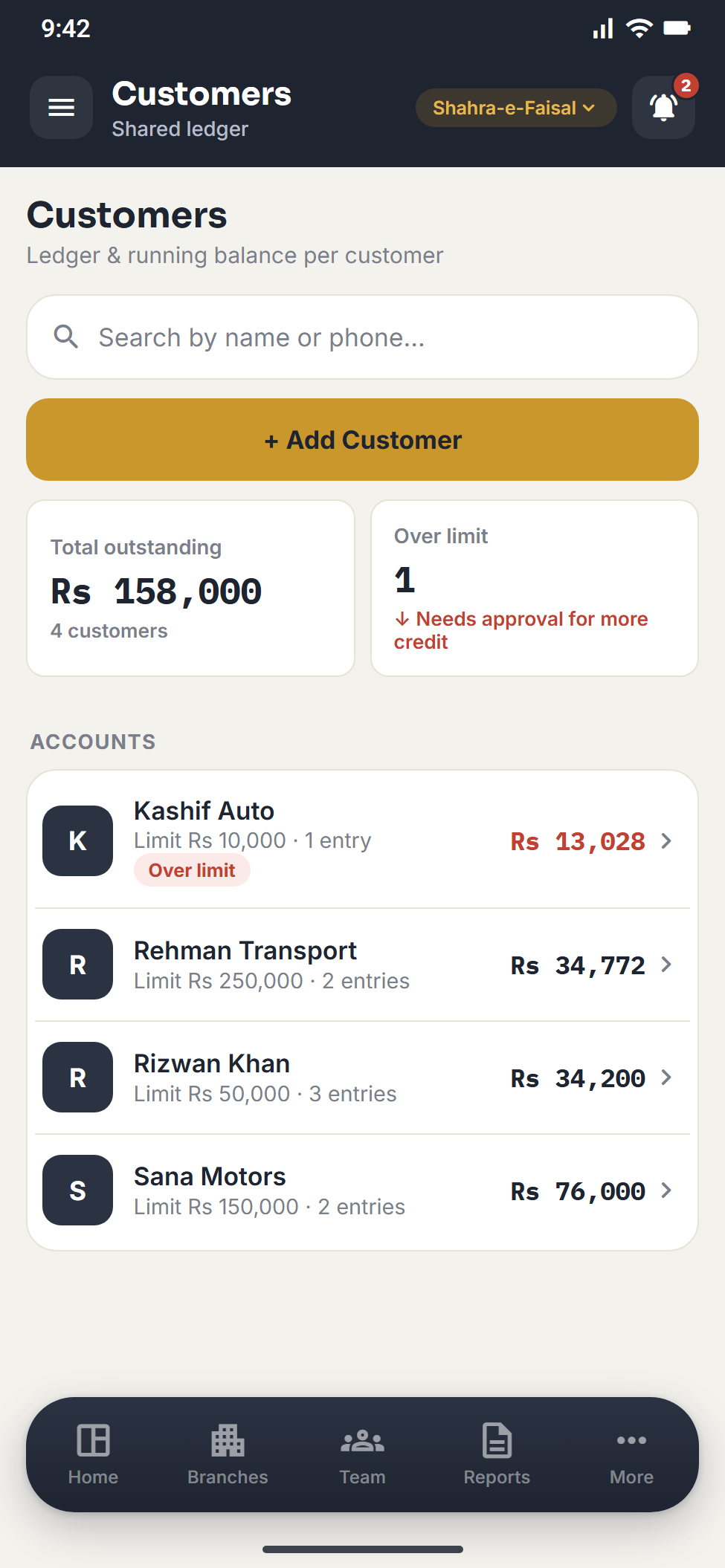
Udhaar with real limits
Every credit customer with a limit and a running balance. Over the limit is recorded and waits for your approval.
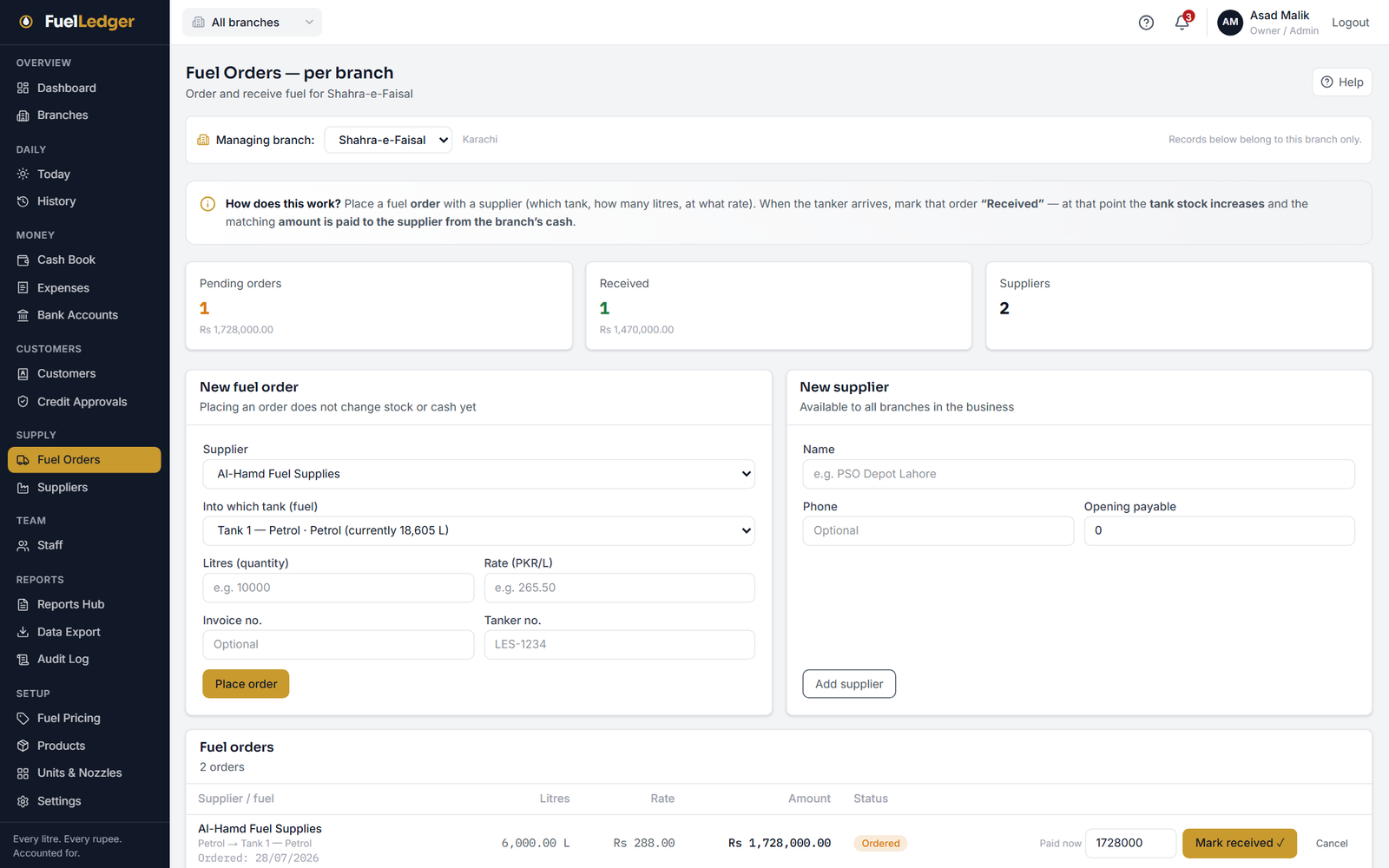
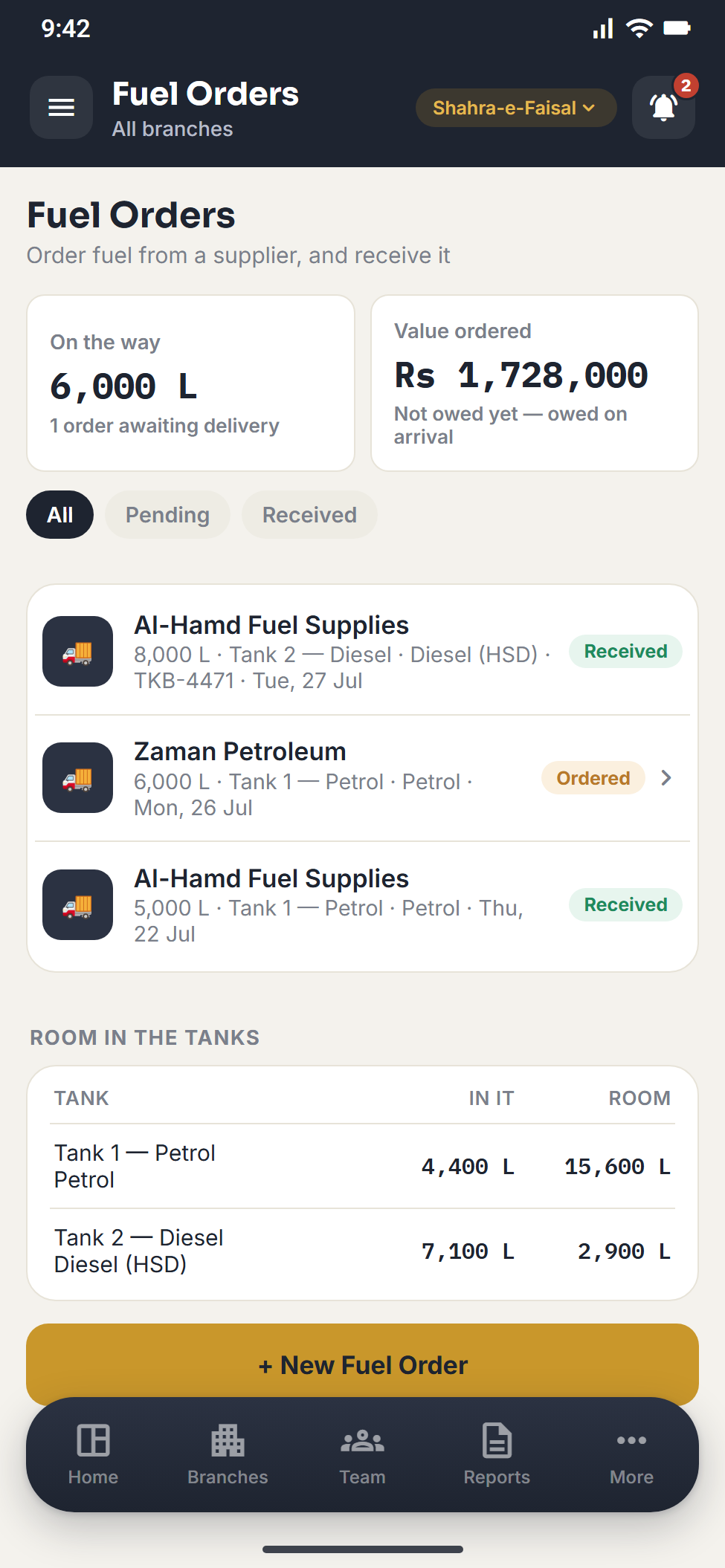
Tankers in, suppliers paid
Place an order with a supplier for a tank. When the tanker arrives, mark it received and the tank stock goes up.
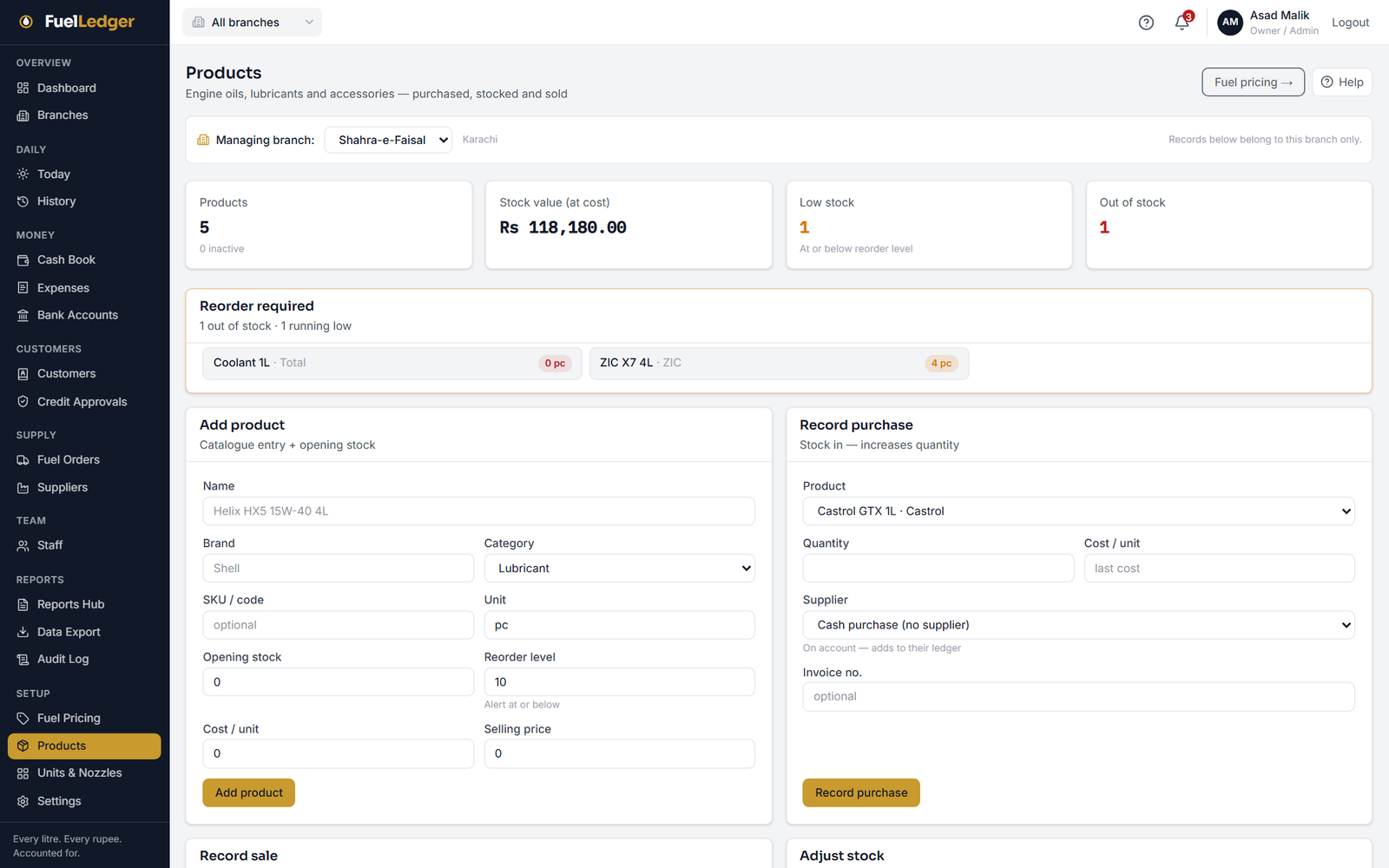
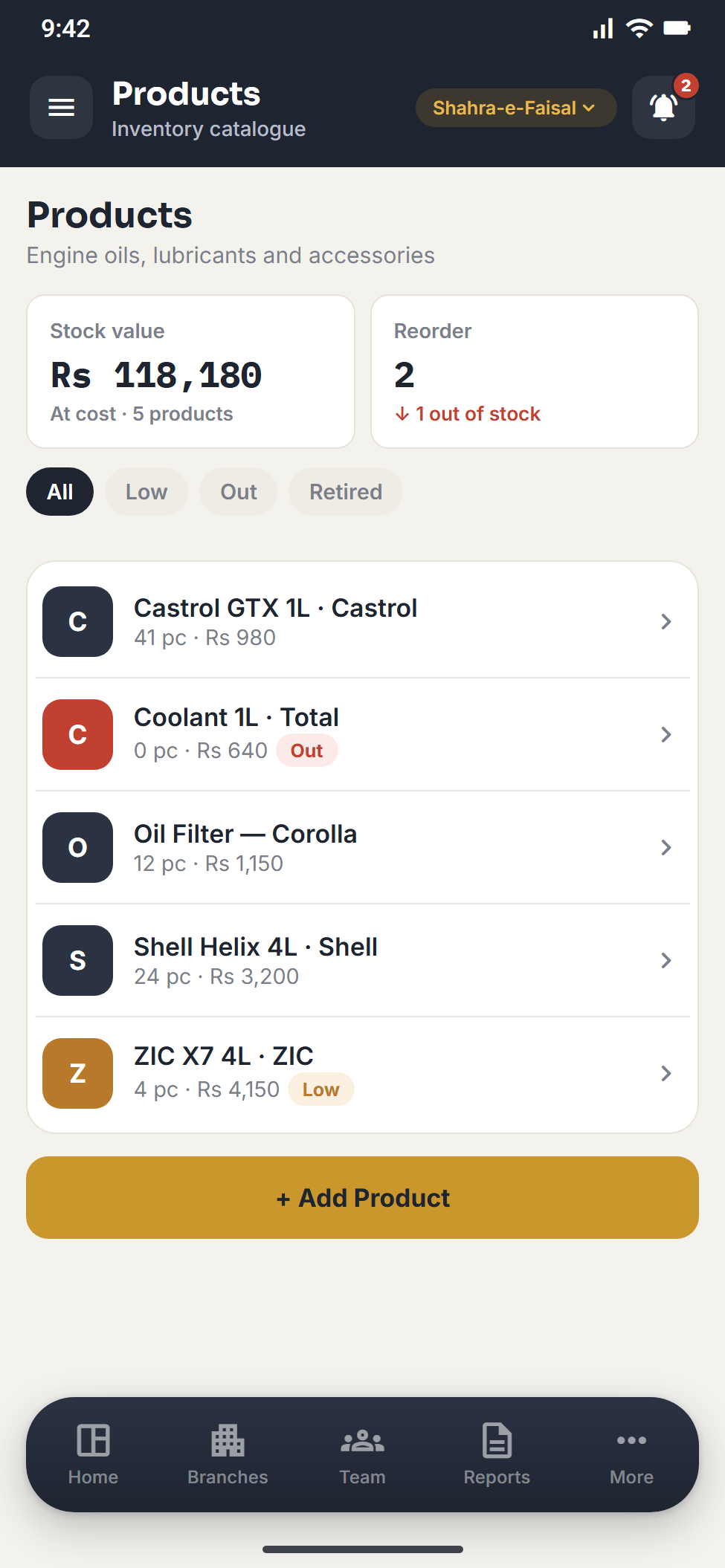
Shelf stock that adds up
Engine oils, lubricants and accessories with their stock value, and a reorder list when an item runs low.
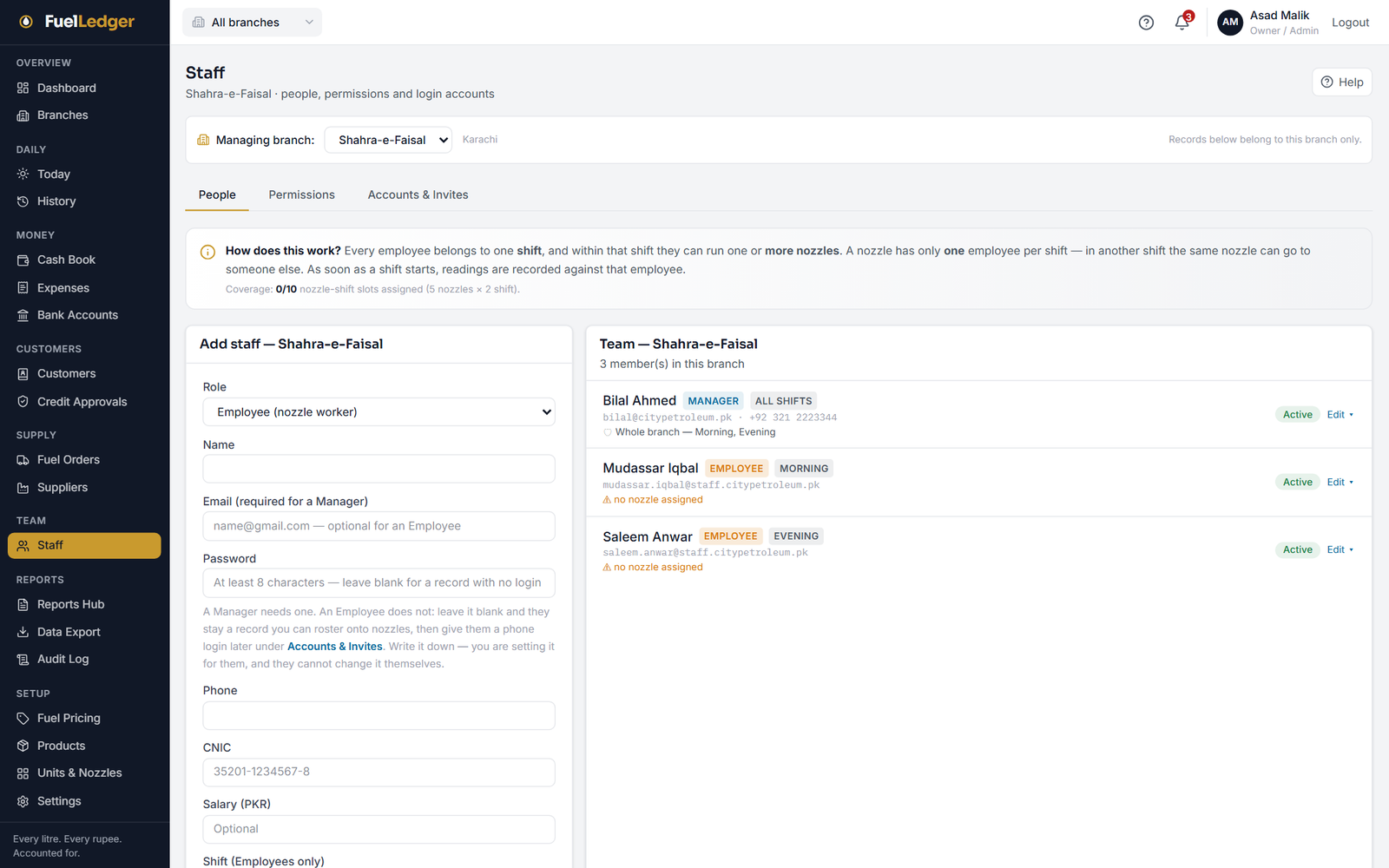
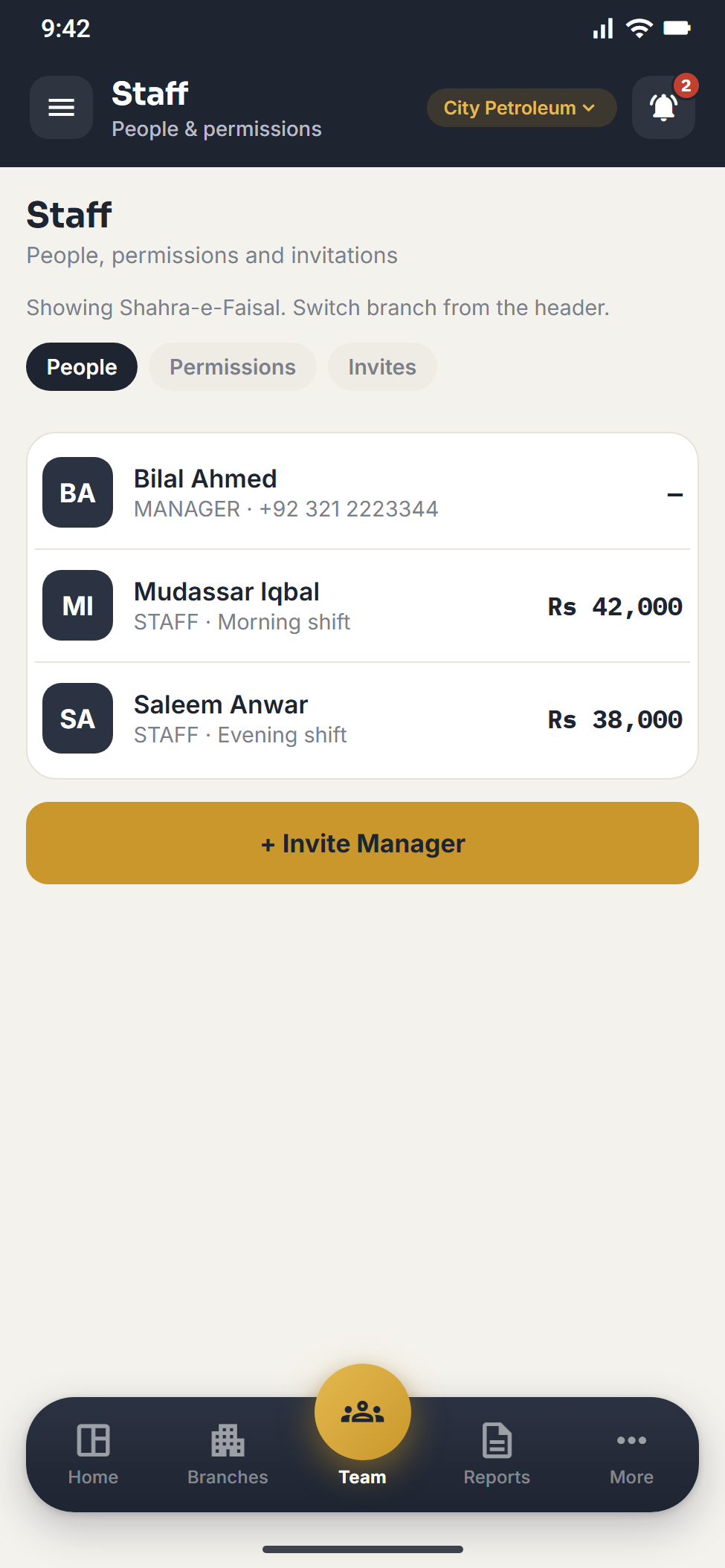
Managers get only what you tick
Add managers and staff per branch. A manager holds exactly the permissions you grant, and nothing more.
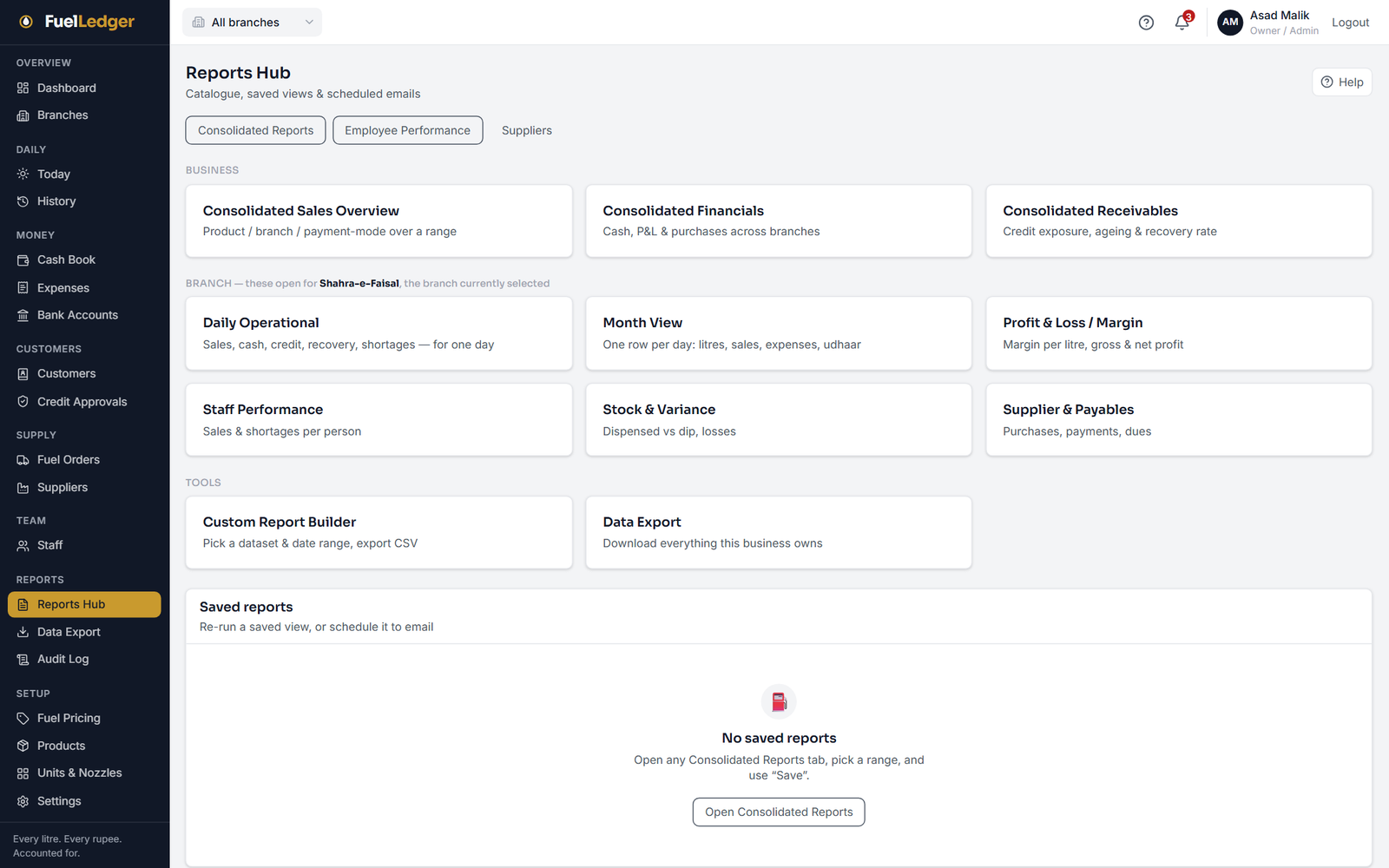
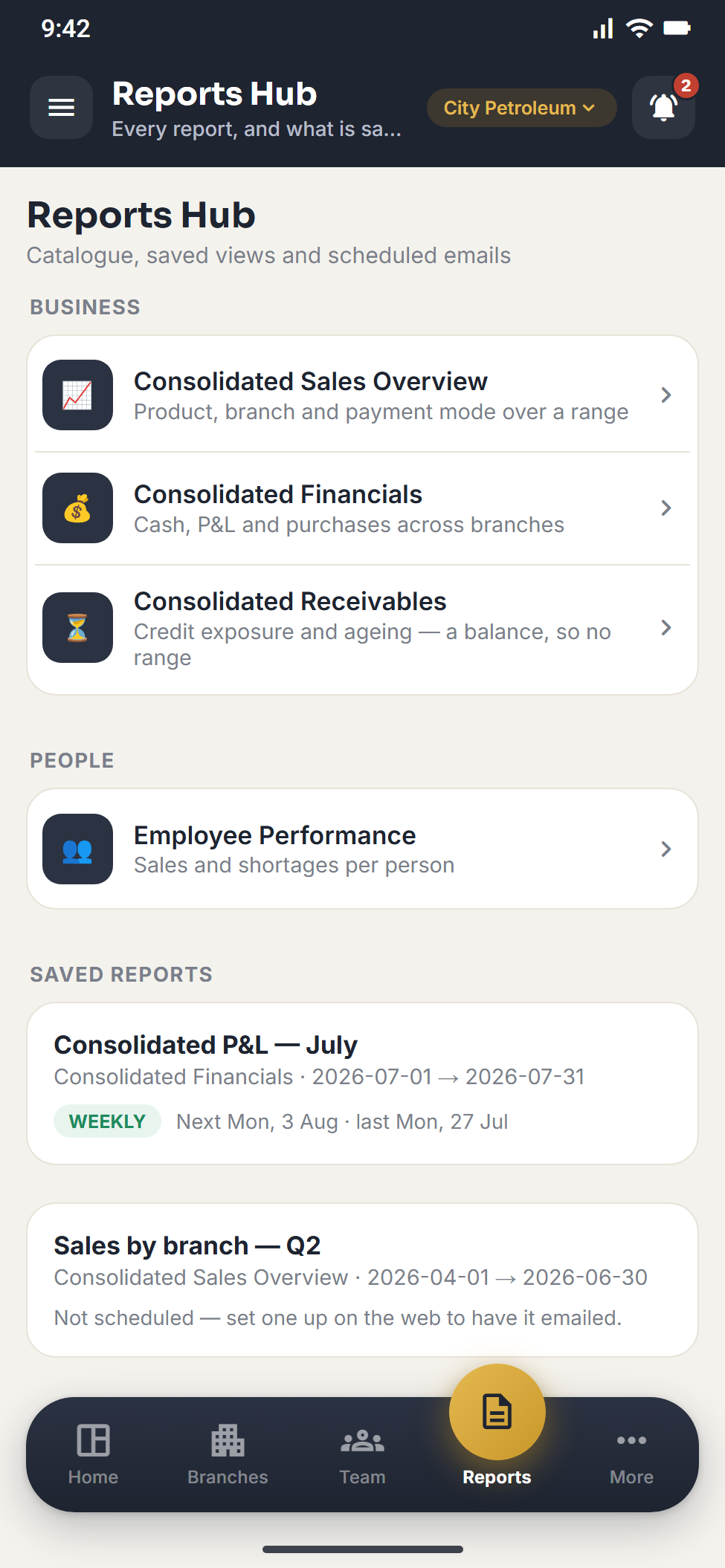
Reports you can hand over
Daily operations, the month, profit and loss and staff performance, ready to print or export.
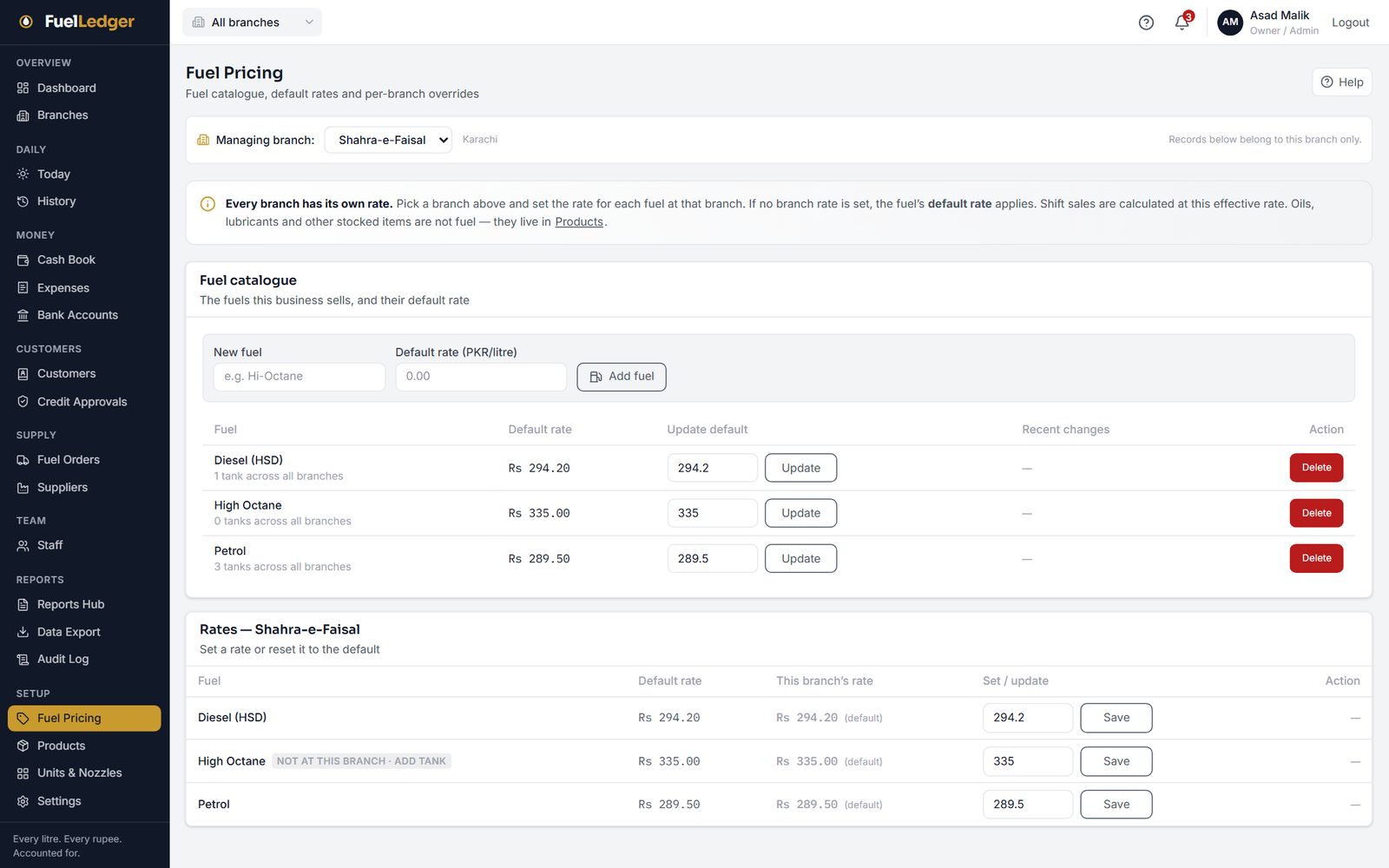
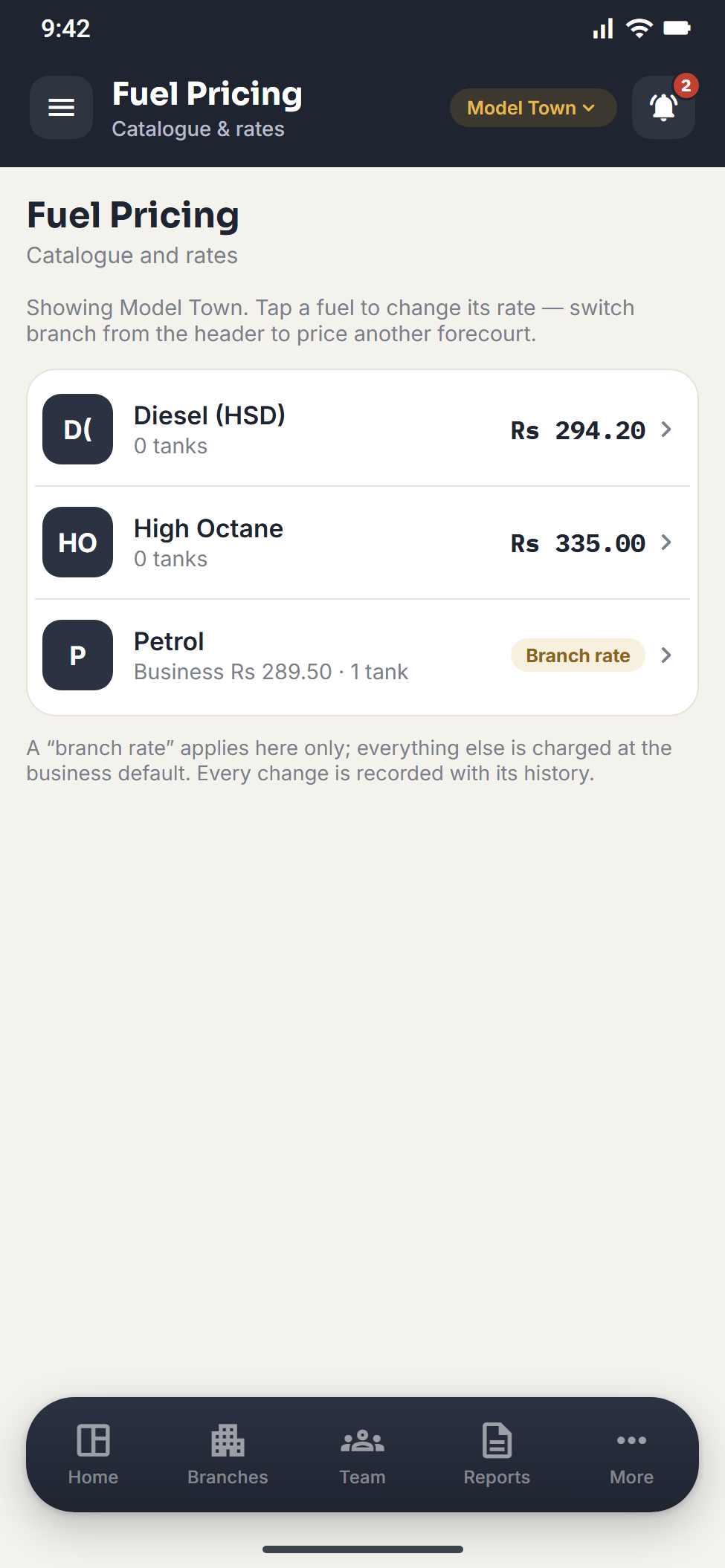
Set the rate once
Default rates for petrol, diesel and high octane, with a branch override where one branch sells at a different price.
Everything a pump actually runs on
FuelLedger is filling station software built around the forecourt — not a general accounting package with fuel bolted on. Every screen exists because a pump needed it.
Shift-based daily cycle
Start a shift, close each nozzle, declare the money, hand over. The day begins with the first shift and locks when the last one closes.
Cash that agrees with itself
One cash book per branch, every entry tied to its shift. Expected sales come from the meters, so a shortage shows the same day.
Udhaar with real limits
Fuel, product or cash lent — one customer balance. Over the limit is recorded and queued for your approval, never waved through.
Tanks, dips and deliveries
Book stock falls as litres sell and rises when a tanker lands — and only what you actually paid settles the supplier.
Many branches, one view
Each branch runs its own shifts, rates and staff. You see them consolidated behind a single date filter.
Permissions, not job titles
A manager holds exactly the boxes you tick, and every action re-checks on the server — a hidden menu is not security.
Reports you can hand over
Daily operations, month view, P&L and per-staff performance — printable, and exportable as CSV with your tax identity on them.
Android app, same numbers
The app runs the whole cycle against the same server. No second set of books, no exporting and emailing from the forecourt.
Five steps, and the books close themselves
Learn it once on the first day, and the branch runs on it every day after.
- 01
Start the shift
Pick the shift and who runs each nozzle.
- 02
Read the meters
Litres and value computed, capped by the tank.
- 03
Declare the money
Cash, credit, digital. Expected is derived.
- 04
Hand over & close
Stock falls, cash is booked, digital banks.
- 05
Finalise the day
Once no shift is open. Owner can reopen once.
The Android app is not a viewer
It runs the cycle — start a shift, enter every closing meter, declare the money, hand over, close, finalise — and records expenses, udhaar and recoveries where they happen.
- The same server and the same rules as the web
- A blank field stays blank — a zero would claim the drawer was counted
- Reports leave as a PDF you can send on WhatsApp
- Owners get every branch, and the day-reopen only they can do
Pay once. Then it is yours.
No monthly charges, no per-user pricing, no gateway taking a cut.
Your first branch is included. Each additional branch is Rs 10,000.00, once.
- Every module — shifts, cash, udhaar, stock, staff, reports
- The web app and the Android app
- Unlimited managers and staff records
- Full CSV export of your data, whenever you want it
- No monthly fee, now or later
- 1.Create your account with a Gmail address — it takes a minute.
- 2.Verify your email with the 6-digit code we send you.
- 3.Pay Rs 20,000.00 offline (Bank transfer, Cash), quoting the reference we show you.
- 4.We confirm the payment and activate your account.
- 5.Set up your branch, tanks and staff, and start your first shift.
There is no payment gateway in the software and no card is ever stored. Money moves between you and us directly — the standard way of doing business here.
Is there a monthly subscription?+
No. One registration fee that includes your first branch, and a one-time fee for each branch you add later. Nothing recurring.
How is payment made?+
Offline — bank transfer or cash, directly to us. There is no payment gateway in the software. You register and verify your email, we confirm the payment, your account activates.
Can my manager see everything?+
Only what you tick. A new manager holds nothing until you grant it, and every screen and action re-checks on the server.
What happens to my data?+
It is yours and it is exportable — every table, as CSV, carrying your business profile. Nothing is held hostage.
What is FuelLedger?
+
FuelLedger is petrol pump management software for Pakistan, built by GOFTECH. It runs a filling station shift by shift — nozzle meter readings, cash, udhaar (credit), fuel stock and multi-branch reporting — on the web and on Android, for a one-time fee with no monthly subscription.
Who is FuelLedger for?
+
Petrol pump owners, branch managers and nozzle operators — from a single filling station to a group running many branches under one business. The owner sees every branch, a manager sees only what the owner grants, and an operator gets a short Android screen for their own shift, meters and sales.
How does FuelLedger catch cash shortages at a petrol pump?
+
Expected sales for each shift are calculated on the server from the nozzle meter readings and the shift's product sales — never typed in. When the shift declares its cash, credit and digital takings, the difference is recorded as a variance against that shift and the person who declared it, so a shortage shows up the same day instead of at month end.
Does FuelLedger manage udhaar (credit) customers?
+
Yes. Fuel, shelf products and cash lent on account all go against one customer balance with a credit limit. A sale over the limit is still recorded — the customer has already taken the fuel — and is queued for the owner's approval. Every customer has a running statement that can be printed.
Can I manage more than one petrol pump with FuelLedger?
+
Yes. Each branch keeps its own shifts, fuel rates and staff, and the owner sees consolidated sales, financials and receivables across every branch behind one date filter. Each additional branch is a one-time fee of Rs 10,000.00.
Is there a FuelLedger mobile app?
+
Yes — an Android app that works against the same server and the same rules as the web app. It runs the whole daily cycle (start a shift, enter closing meters, declare the money, hand over, close and finalise the day) and exports reports as PDFs that can be shared on WhatsApp.
Who makes FuelLedger?
+
FuelLedger is built and supported by GOFTECH (GofTech Solutions), a software company based in Islamabad, Pakistan. Contact info@goftechsolutions.com.
Start counting properly from
tomorrow’s first shift.
Create your account now — you can set your branch up while the activation is being confirmed.